
Core Web Vitals Explained for Business Owners
A plain-English breakdown of LCP, INP and CLS: what Google’s Core Web Vitals actually measure, why pages fail them and which technical fixes move the needle.
By Pixel Primes Editorial Team
What are Core Web Vitals?
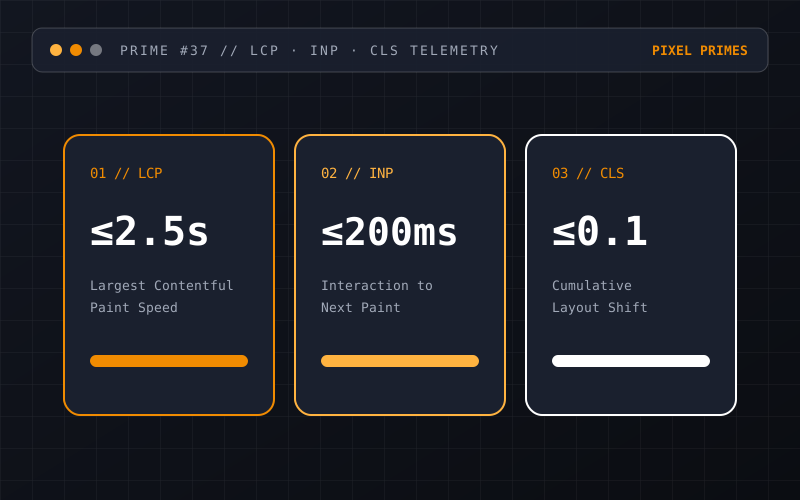
Core Web Vitals are a set of three real-world performance metrics defined by Google to measure how fast, responsive and visually stable a webpage feels to human visitors. Rather than scoring abstract server numbers, they focus on three moments every web user notices: how quickly the main content appears, how fast the page reacts when clicked, and whether elements jump around while loading.
Because these metrics are collected from real Chrome users (via the Chrome User Experience Report) as well as lab tests, they influence both your search engine visibility and your visitors’ willingness to stay on the page.
Largest Contentful Paint (LCP): How fast does the main view load?
Largest Contentful Paint measures the time from when a user requests the URL until the largest visible content element—usually the hero headline or primary feature image—finishes rendering on screen. Google’s target for a good experience is 2.5 seconds or less.
Pages commonly fail LCP when the server takes too long to respond, when CSS or JavaScript blocks the browser from painting, or when a multi-megabyte hero image is hidden inside a late-loading JavaScript carousel.
- →Target: 2.5 seconds or faster for at least 75% of page visits.
- →Common fix: Preload critical fonts, compress hero media into modern formats and render primary HTML on the server or at build time.
Interaction to Next Paint (INP): Does the page respond when tapped?
Interaction to Next Paint replaced First Input Delay in 2024 as the official responsiveness metric. While the old metric only checked the very first click, INP observes all clicks, taps and key presses throughout a user’s visit and reports the worst interaction delay. A good INP score is under 200 milliseconds.
Poor INP happens when the browser’s main thread is busy executing heavy JavaScript—such as third-party tracking bundles, unoptimised React re-renders or complex filtering calculations—at the exact moment a user taps a menu or accordion.
- →Target: 200 milliseconds or less.
- →Common fix: Strip unnecessary third-party scripts, split large JavaScript bundles and keep interactive state updates localized.
Cumulative Layout Shift (CLS): Does the layout stay still?
Everyone has experienced trying to tap a link on a phone only for an image or banner to load late above it, pushing the text down and causing a mis-click. Cumulative Layout Shift quantifies that visual instability. A good score is 0.1 or lower.
Layout shifts are almost always caused by images or embeds without explicit width and height dimensions, dynamically injected notification bars, or web fonts that swap in with wildly different metrics from the fallback font.
- →Target: 0.1 or less.
- →Common fix: Always declare width/height or CSS aspect-ratio on media containers and reserve space for dynamic UI elements.
Turning diagnostics into engineering action
Installing another "speed booster" plugin rarely solves underlying Core Web Vitals issues; in fact, extra scripts often make INP worse. Sustainable performance comes from clean HTML architecture, disciplined asset delivery and targeted Website Performance Optimisation.
Have a question about your project?
Talk directly with the designers and engineers at Pixel Primes Pty. Ltd.